
Part of the Fertiligent patient portal
Telehealth Video Visits for fertility clinics
A results conversation, a follow-up or a failed-cycle debrief, without the drive to the clinic.
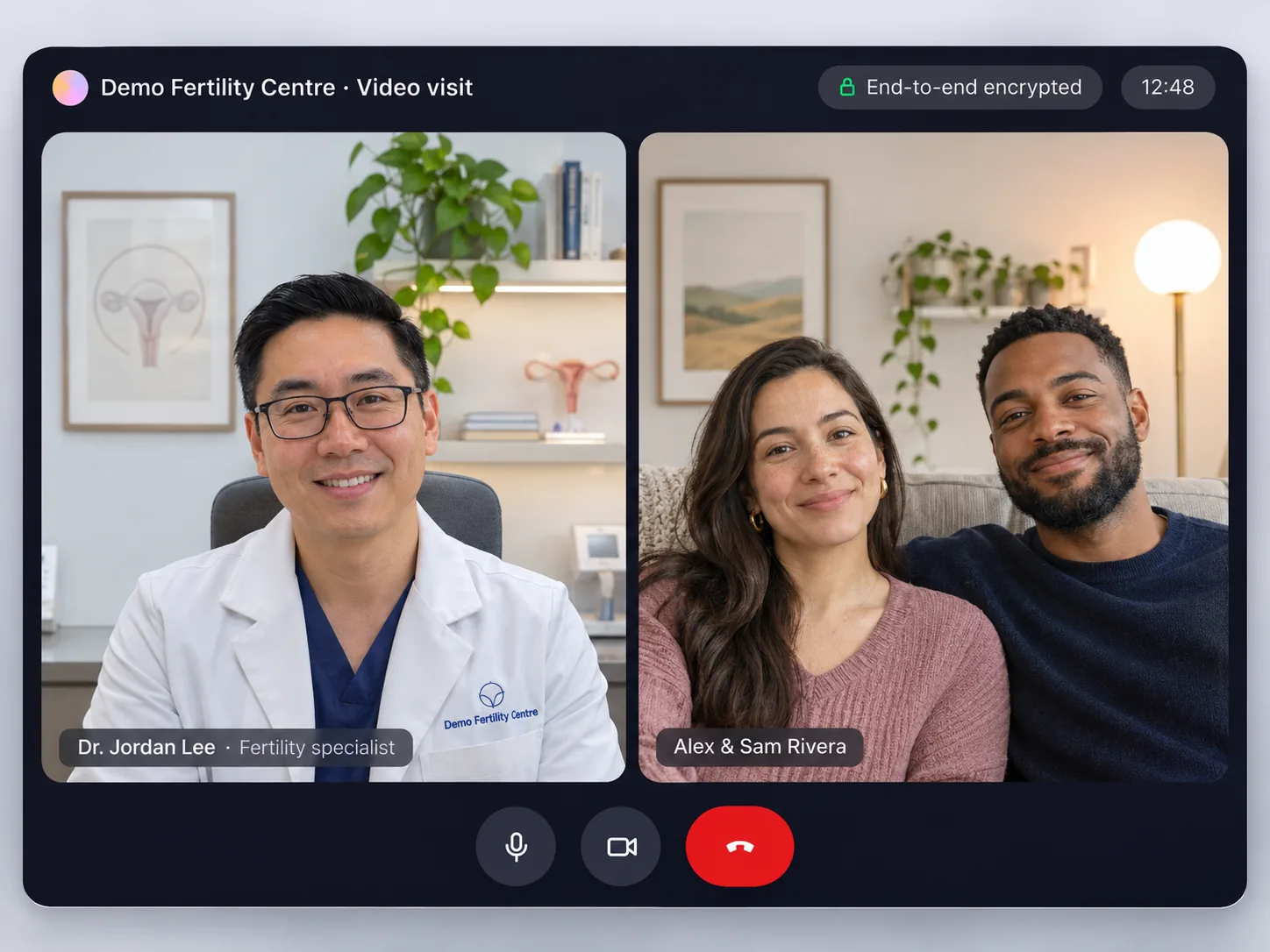
Call the patient from their conversation in the portal, next to their messages, bookings and results. Peer to peer, encrypted end to end, not recorded, and nothing to install.
- Included
- Video visits come with the Fertiligent platform. Patients join from the Fertiligent portal, beside your EMR.
One to one: a member of your team and a patient. A couple joins together on one device.
Why not the video tool you already have
- It is in the patient's thread. Nobody hunts for a link or a meeting ID.
- Nothing else to buy. No separate video vendor.
- Only your clinic can ring. Staff can call patients; patients can call staff, never each other; nobody outside your clinic can call in.
- The scribe can write it up. With consent, the clinician records the visit with the AI Medical Scribe and reviews the draft note.
How a video visit is protected
The rest of what a privacy officer will ask is in the questions below and on our security page.
Encrypted end to end
Our servers cannot read it
Video and sound are encrypted between the two devices on the call. The call goes straight from browser to browser whenever the networks allow it, not through a video vendor's servers.
Only the two people on the call
One room per call
Only someone signed in to your clinic's portal can place or answer a call, and only the person who placed it and the person who accepted it can join.
Not recorded
Nothing is kept by the call itself
Video calling does not record or store calls.
Questions clinics ask about telehealth
Answered as plainly as we can.
Are telehealth video visits secure?
Yes. Calls run inside the patient portal and are encrypted end to end between the clinician's and the patient's devices. They connect peer to peer whenever the network allows, and otherwise through our own relay server, which cannot decrypt them. Only signed-in users of your clinic can call, and only the two people on a call can join it.
Are video visits recorded?
No. Video calling does not record or store calls. If your clinic uses the AI Medical Scribe for a visit, the audio the scribe captures follows the consent and retention rules the patient agreed to.
Does the patient need to install anything?
No. Both people join from the portal in a current browser, with a camera and a microphone. Voice-only calls work too, for when video isn't needed.
Will it work on a hospital or office network?
Usually directly. When a firewall blocks a direct connection, the call goes through our relay server, which accepts UDP, TCP and encrypted TLS connections, so it gets through most clinic and hospital firewalls. If your network is tightly locked down, tell us and we will check it with you before you rely on it.
Can more than two people join a call?
No. A video visit is one to one, between one member of your team and one patient.
Is it included, or an add-on?
Yes, included with the platform. How it is quoted is on our pricing page.
Do patients need the Fertiligent portal?
Yes. Patients join from the Fertiligent patient portal, which runs beside your EMR and its own portal. Nothing is migrated. It is not a link you can send to someone without a portal account.
What if the patient is not signed in when we call?
They have to be signed in to the portal to answer. If they are not signed in and have notifications turned on, they get one saying someone is calling.
Who can call whom?
Clinic staff can call anyone at your clinic, patients included. A patient can call your clinic's staff only, never another patient. Nobody outside your clinic can be called, or call in. When a call is not allowed, nothing rings and no notification is sent. Portal chat follows the same rule, so a patient never sees another patient as a contact.
Can a partner join the visit?
Yes, on the same device: a couple sits together in front of one screen. A partner in another place cannot join the same call today.
Can a video visit be booked in advance?
Today a video visit starts from the patient's conversation in the portal: book the time as you do now, then call at that time. Booked video visits, with a join link, are on the way.
Can the AI Medical Scribe document a video visit?
Yes, as a separate step. With the patient's consent, the clinician records the visit with the scribe by sharing the call's browser tab in Chrome or Edge, and reviews the draft note before signing it.
How do we turn it on?
Video visits are switched on per clinic. Ask your Fertiligent contact and we will turn them on for yours. Staff instructions are in our docs at docs.fertiligent.ai.
Offer video visits without another video tool
Part of the Fertiligent platform, alongside messaging, booking and results in the patient portal.
How it is quoted is on our pricing page.